1 | wget -P /root -N --no-check-certificate "https://raw.githubusercontent.com/mack-a/v2ray-agent/master/install.sh" && chmod 700 /root/install.sh && /root/install.sh |
- 快捷方式
1 | vasma |
1 | bash <(curl -Ls https://raw.githubusercontent.com/FranzKafkaYu/x-ui/master/install.sh) |
- 后台管理快捷方式
1 | x-ui |
- 面板证书公钥文件路径
1 | /root/cert/fullchain.pem |
- 面板证书密钥文件路径
1 | /root/cert/key.pem |
- 安装acme
1 | apt update && apt upgrade -y && apt-get install curl |
1 | curl https://get.acme.sh | sh -s email=384839570@qq.com |
- 申请证书
1 | cd /root/.acme.sh \ |
- 安装证书
1 | cd /root/.acme.sh && ./acme.sh --ecc --install-cert -d sg.7596.xyz \ |
- 韩国微信通知
1 | cd /root/.acme.sh \ |
- 新加坡微信通知
1 | cd /root/.acme.sh \ |
- Vless+tls+xtls-rprx-vison
开启tls,网络必须选择tcp
用户设置中选择flow为xtls-rprx-vision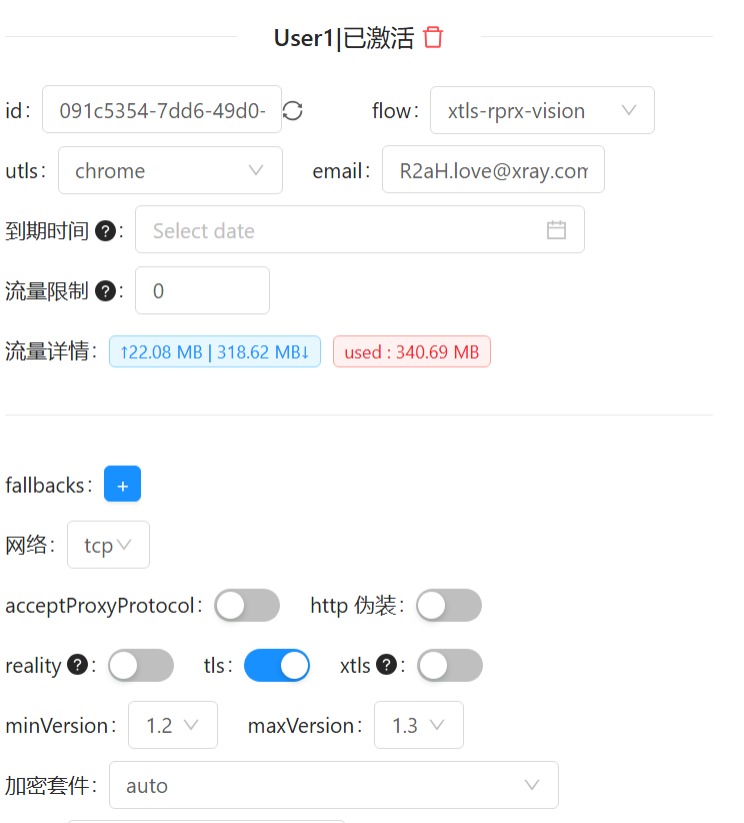
- Vless+reality+tcp+xtls-rprx-vison
与Vless+tls+xtls-rprx-vison配置类似,不过此时我们需要选择开启reality而非tls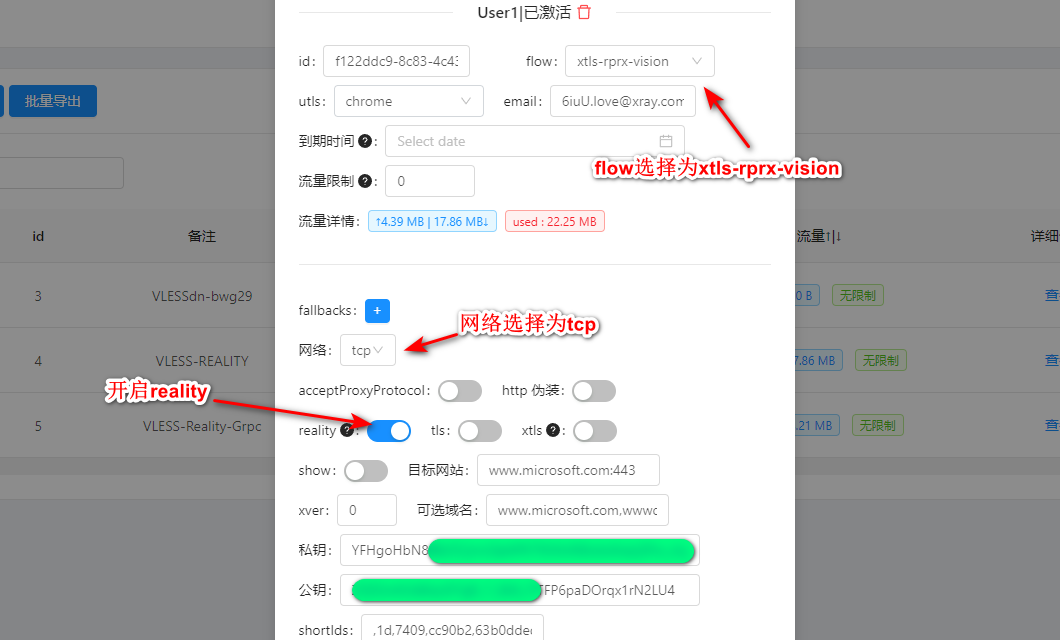
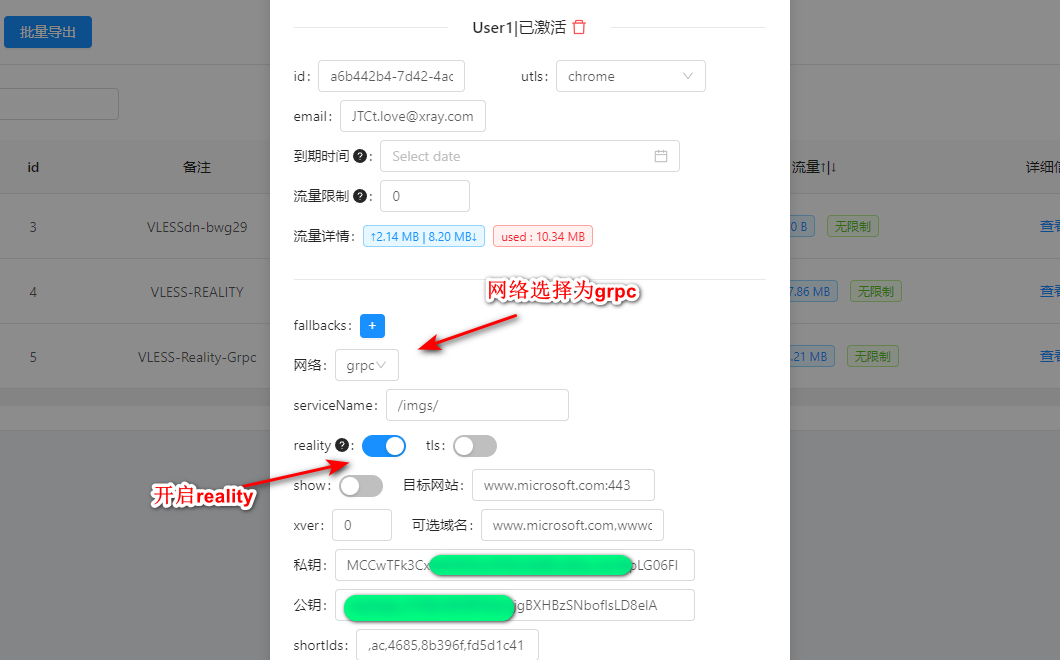
Vless+reality+grpc